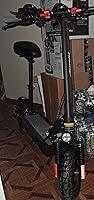
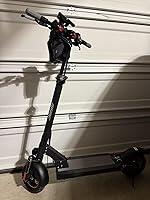
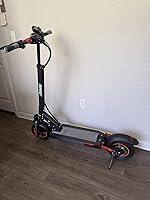
AONIU M4 FAQ
Why Does the Battery Display Stay at 100% After Riding?
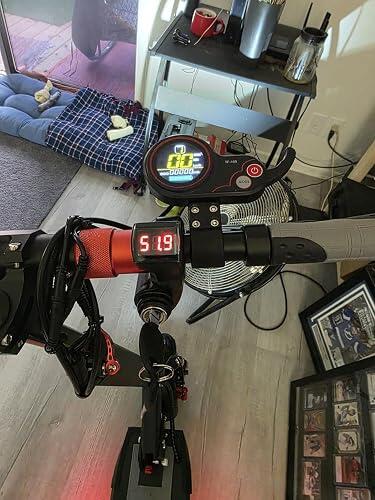
If your AONIU M4 battery indicator continues to show 100% even after several miles of riding, the voltage setting on the TF-100 display may be incorrect.
The AONIU M4 uses a 48V battery system. Set the P03 parameter to 48V so the battery indicator can estimate the remaining battery level correctly.
How to Set P03 to 48V
Step 1: Turn On the Scooter
Press and hold the Power button until the display turns on.
Step 2: Enter the Settings Menu
Press and hold the Power and Mode buttons simultaneously until the P-setting menu appears.
Step 3: Navigate to P03
Briefly press the Power button to cycle through the parameters. Continue until P03 appears on the display.
Step 4: Set the Voltage to 48V
When P03 is displayed, briefly press the Mode button to change the voltage value. Continue pressing the Mode button until the value shown below P03 is 48.
Step 5: Save and Exit
Press and hold the Power and Mode buttons simultaneously to save the setting and exit the menu.
Do not turn off the scooter before completing this step, or the new setting may not be saved.
Step 6: Restart the Display
Press and hold the Power button to turn off the scooter. Wait a few seconds, then press and hold the Power button again to restart it.
Use the Power button—not the key—to turn off the display during this process.
How Can I Confirm That the Setting Was Saved?
Enter the settings menu again and navigate to P03. The value displayed under P03 should be 48.
The settings menu may initially open at P02. This is normal and does not mean that P03 has been reset. Briefly press the Power button to navigate to P03 and check the saved voltage value.
What If the Battery Level Is Still Incorrect?
After changing P03 to 48V:
- Fully charge the scooter.
- Restart the display.
- Ride the scooter for a short distance and check whether the battery indicator decreases normally.
Please note that the battery indicator is an estimate based on battery voltage. The displayed level may fluctuate slightly depending on riding speed, rider weight, hills, temperature, and battery load.
If the display still remains at 100%, please contact AONIU Support and provide:
- Your order number
- A photo showing the P03 value
- A short video showing the display before and after restarting
- A description of how far the scooter was ridden
Important Notice
Only change P03 as instructed. Changing other P-settings may affect the speed display, riding performance, or controller operation.